0 ratings





Nº de artículo:
118569320
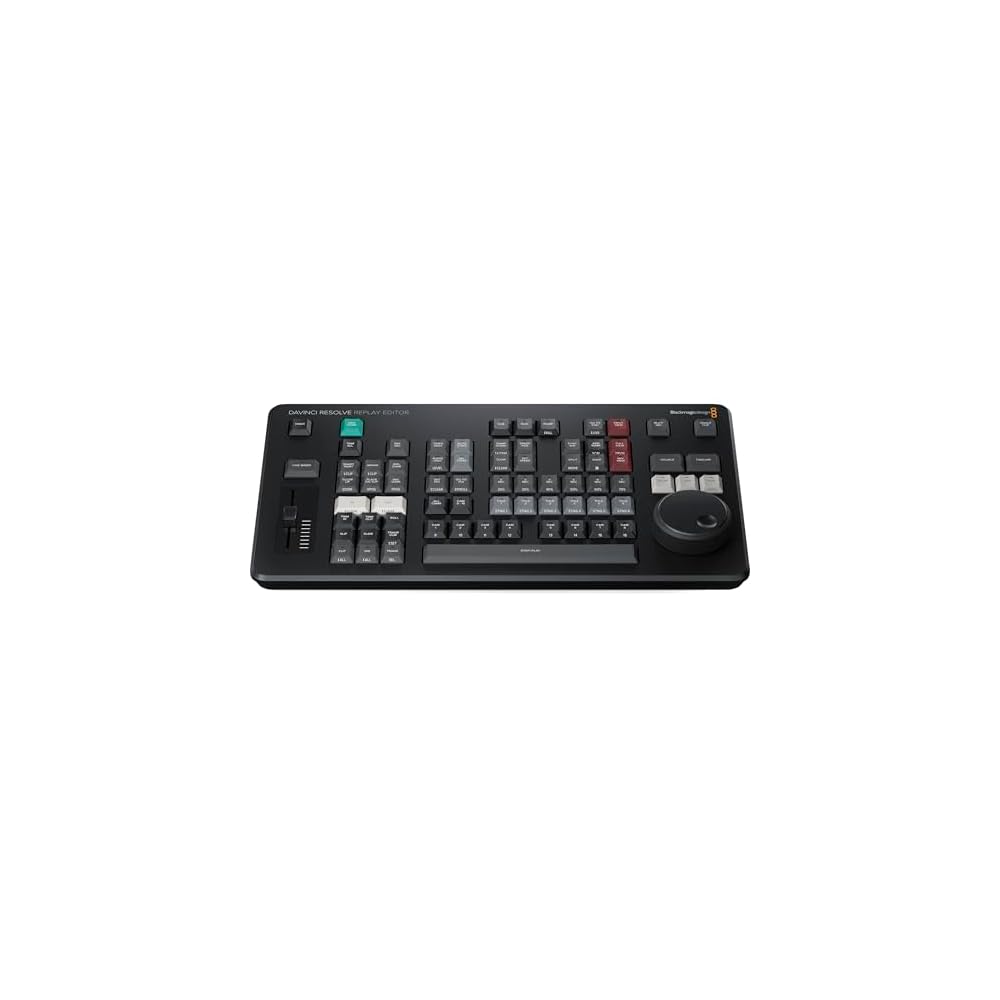
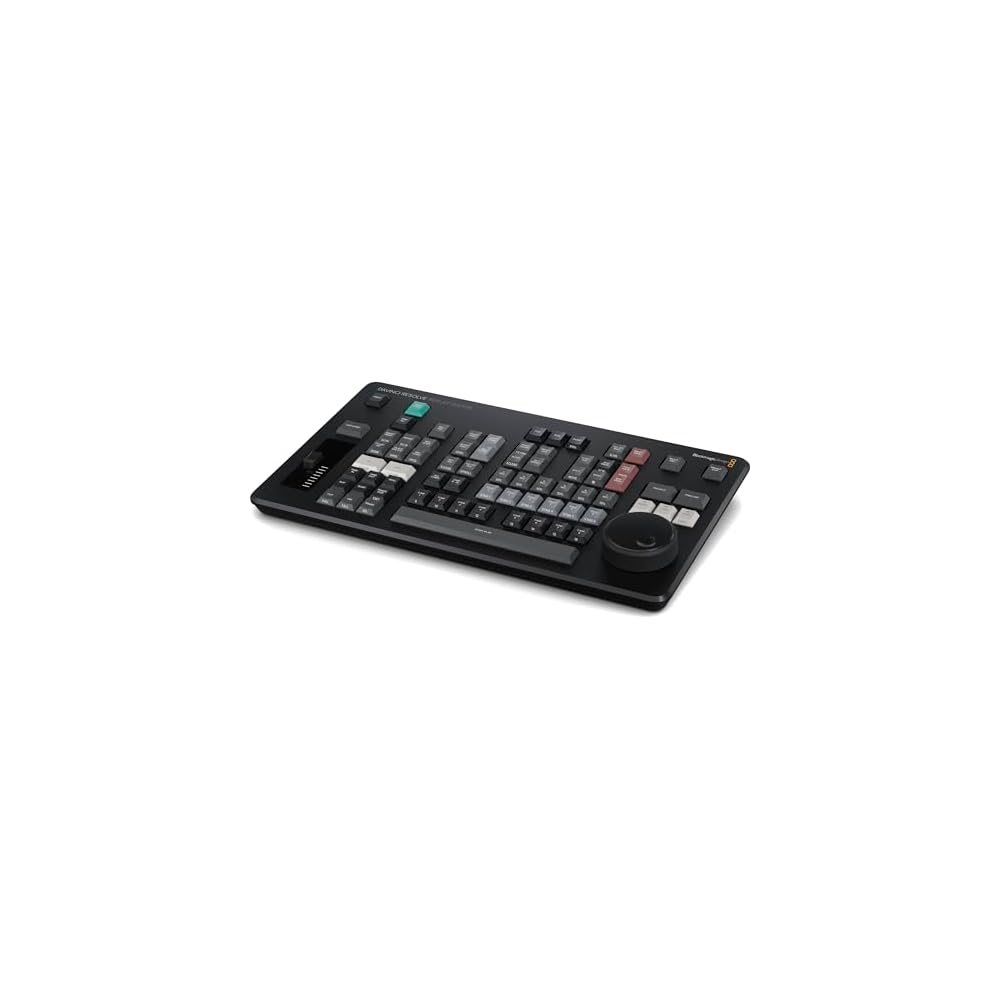
Blackmagic Design Davinci Resolve Replay Editor (DV/RES/BBPNLMLEKAR)
Nº de artículo:
118569320
BOB 4878
Price Details
Excluding Shipping & Custom charges ( Shipping and custom charges will be calculated on checkout )
*All items will import from Estados Unidos
6%
0 ratings
Escribe una opinión
En stock
 Importado de la tienda USA
QTY:
Solo quedan 2 artículos en stock.
Haz tu pedido ahora y recíbelo por ahí Jueves, Junio 25
Secured transaction
Ubuy works hard to protect your security and privacy. Our advanced payment security system ensures confidentiality by encrypting your information during transmission using AES (Advanced Encryption Standards) and SSL (Secure Socket Layer) protocols. Your payment details are 100% secure as we do not share your payment details with third party sellers.
Our Top Logistics Partners


The Blackmagic Design DaVinci Replay Resolve Editor is specifically designed for multi-cam editing, delivering fast and efficient editing for news cutting and live sports replay.

Fast
Shipping

Free
Return*

Secure Packaging

100% Original Products

PCI DSS Compliance

ISO 27001 Certified


What Stands Out
Multi-Cam Editing
Streamline your workflow with advanced multi-cam editing capabilities, allowing editors to seamlessly switch between multiple camera angles in real-time, perfect for fast-paced news and sports environments.
Live Sports Replay
Enhance viewer engagement with instant replays and highlights, offering editors powerful tools to quickly showcase critical moments during live sports events, ensuring they never miss a beat.
User-Friendly Interface
Designed for ease of use, the intuitive interface empowers professionals to edit efficiently without a steep learning curve, making it ideal for both experienced editors and newcomers in fast-paced scenarios.
Detalles de producto
- Multi-Cam Editing: The Blackmagic Design DaVinci Replay Resolve Editor is an editor panel specifically designed for multi-cam editing for news cutting and live sports replay
- Fast and Efficient: It includes buttons to make camera selection and editing extremely fast. It connects via Bluetooth or USB‑C
- Unlimited Storage: The Blackmagic Cloud Store Max has been designed for replay because it's fast and has a large capacity. So it easily handles multiple record channels
- Replay Palette: The replay controls can be accessed using the replay palette above the viewer, plus there are also dedicated buttons on the DaVinci Resolve Replay Panel for quick control
- Unlimited Record Channels: By adding multiple HyperDeck recorders to a Blackmagic Cloud Store Mini or Max, you can record as many channels as you need
| Product Dimensions (L x W x H) | 8.54 x 14.96 x 1.73 inches (21.7 x 38 x 4.4 cm) |
| Item Weight | 3.56 pounds (1.61 kg) |
| Item model number | BM-DV/RES/BBPNLMLEKAR |
| Date First Available | August 6, 2024 |
| Manufacturer | Blackmagic Design |
Who Should Buy?

-
Sports Editors
Ideal for sports editors needing quick multi-cam editing capabilities during live events and replays for immediate coverage.
-
News Production
Benefits news production teams looking for fast turnaround times in video editing for breaking news segments and stories.
-
Live Event Planners
Great choice for live event planners who require seamless switching and editing between multiple camera feeds for broadcasts.

-
Casual Users
Not suitable for casual users or hobbyists who do not require advanced multi-cam editing or professional-grade features.
-
Basic Editing Needs
Users with only basic editing needs may find the features overwhelming or unnecessary for simple video projects.
-
Mac Users
Some Mac users may experience compatibility issues or performance limitations dependent on specific hardware and software configurations.
DESCRIPCIÓN DEL PRODUCTO
¿Tienes alguna consulta? Chatea con nosotros
Preguntas y respuestas de los clientes
-
Pregunta:
What are the main features of the Blackmagic Design Davinci Replay Resolve Editor?
Respuesta: The Blackmagic Design Davinci Replay Resolve Editor is renowned for its fast multi-cam editing capabilities, tailored specifically for news cutting and live sports replay. It offers real-time playback of multiple camera angles, advanced color correction tools, and robust audio editing functionalities. A standout aspect is its user interface, designed for efficiency during live events, allowing editors to switch between angles seamlessly. This makes it ideal for fast-paced environments such as sports broadcasts or live news reports, where every second counts. -
Pregunta:
Is the Blackmagic Design Davinci Replay Resolve Editor user-friendly for beginners?
Respuesta: Yes, the Blackmagic Design Davinci Replay Resolve Editor offers a user-friendly interface that caters to both beginners and professionals. While it comes with advanced features suited for intricate editing tasks, the layout is intuitive, allowing newcomers to quickly familiarize themselves with the dashboard and workflow. Tutorials and community forums further support users in honing their skills, making the editor a versatile choice for anyone from hobbyists to seasoned video editors. -
Pregunta:
Can I integrate the Blackmagic Design Davinci Replay Resolve Editor with other software?
Respuesta: Absolutely, the Blackmagic Design Davinci Replay Resolve Editor supports integration with various software and systems. This compatibility ensures that you can import footage from different editing tools and seamlessly transition into your multi-cam editing workflow. For instance, users frequently integrate with software like Adobe Premiere Pro for enhanced functionality, allowing a smooth workflow across different platforms, especially useful in professional environments where collaboration is key. -
Pregunta:
What types of projects is the Davinci Replay Resolve ideal for?
Respuesta: The Davinci Replay Resolve Editor is optimal for projects such as live sports broadcasting, news production, and event coverage. Its multi-cam editing feature specifically caters to scenarios requiring quick cuts and seamless transitions between various camera angles. For example, during a sports game, editors can effortlessly switch between the field's multiple live feeds, ensuring viewers catch every exciting moment in real time, making it the go-to tool for fast-paced editing environments. -
Pregunta:
Does the Davinci Replay Resolve support various video formats?
Respuesta: Yes, the Davinci Replay Resolve Editor supports a wide range of video formats, making it versatile for different types of media. It handles formats like ProRes, DNxHD, and H.264 seamlessly, enabling editors to work with various source materials. This flexibility is crucial in environments like news and sports, where files from multiple cameras and sources need to be integrated quickly without compromising quality or performance. -
Pregunta:
What hardware requirements are necessary to run the Davinci Replay Resolve Editor optimally?
Respuesta: To run the Blackmagic Design Davinci Replay Resolve Editor optimally, a powerful computer is recommended. Ideally, it should have a multi-core processor, at least 16GB of RAM, and a dedicated GPU for handling high-resolution video editing smoothly. For professional use, consider configurations that meet or exceed these specifications, particularly if managing multiple camera feeds simultaneously. This ensures a lag-free experience during live editing sessions, which is crucial for maintaining quality in fast-paced productions. -
Pregunta:
Can I use the Davinci Replay Resolve Editor for color grading?
Respuesta: Yes, the Davinci Replay Resolve Editor is well-regarded for its advanced color grading capabilities. It provides robust tools that allow users to adjust color balance, contrast, and saturation in real time, which is essential for live broadcasts. This feature is particularly useful during sports events, where different lighting conditions can affect cameras’ appearances. Editors can ensure a consistent and polished look across all footage while maintaining the vibrancy needed for engaging live viewing. -
Pregunta:
How does the live switching feature work in the Davinci Replay Resolve Editor?
Respuesta: The live switching feature in the Davinci Replay Resolve Editor allows editors to transition between multiple camera feeds in real-time. This is accomplished through a dedicated control panel that enables instant cuts or transitions, giving the operator the flexibility to choose the best angle while the event is unfolding. This capability is particularly vital in live sports or event coverage, where quick decision-making and seamless transitions enhance viewer engagement and contribute to a more dynamic production. -
Pregunta:
Where can I buy the Blackmagic Design Davinci Replay Resolve Editor in Bolivia?
Respuesta: You can purchase the Blackmagic Design Davinci Replay Resolve Editor from Ubuy in Bolivia. Ubuy offers a comprehensive range of Blackmagic products, ensuring you have access to the latest versions and updates. The platform also provides a user-friendly shopping experience, making it convenient for you to find and acquire the replay editor you need to enhance your video editing projects.
Blackmagic Design Pop Filters BM-DV/RES/BBPNLMLEKAR Editorial Review
No se encontraron reseñas editoriales
Customer Reviews & Ratings
4 valoraciones de los clientes
-
5 estrella
100%
-
4 estrella
0%
-
3 estrella
0%
-
2 estrella
0%
-
1 estrella
0%
Revisar este producto
Comparte tus ideas con otros clientes
ventajas
- Fast multi-camera editing
- Excellent for live sports replay
- User-friendly interface
- High-quality video output
- Great support and resources
Contras
- Requires a powerful computer for optimal performance.
Related Categories
Related Brands
Product Price History
Información importante
- Limitaciones: Para los productos enviados al extranjero, ten en cuenta que cualquier garantía del fabricante puede no ser válida; las opciones de servicio del fabricante pueden no estar disponibles; los manuales del producto, las instrucciones y las advertencias de seguridad pueden no estar en los idiomas del país de destino; los productos (y los materiales que los acompañan) pueden no estar diseñados de acuerdo con las normas, especificaciones y requisitos de etiquetado del país de destino; y los productos pueden no ajustarse al voltaje del país de destino y a otras normas eléctricas (lo que requiere el uso de un adaptador o convertidor, si procede). El destinatario es responsable de asegurarse de que el producto puede ser importado legalmente al país de destino. Cuando hagas un pedido a Ubuy o a sus filiales, el destinatario es el importador registrado y debe cumplir todas las leyes y normativas del país de destino.
- No todos los productos que aparecen en Ubuy están a la venta, ya que Ubuy es un motor de búsqueda a nivel mundial. Los productos están sujetos a las normas de exportación/comercio.
BOB 4878
Haz tu pedido ahora y recíbelo por ahí Jueves, Junio 25
This item is not restrict in my country.(Please click on above link if this item is not restrict in your country, So our team will review and allow.)
QTY:
Solo quedan 2 artículos en stock.
Secured transaction
Ubuy works hard to protect your security and privacy. Our advanced payment security system ensures confidentiality by encrypting your information during transmission using AES (Advanced Encryption Standards) and SSL (Secure Socket Layer) protocols. Your payment details are 100% secure as we do not share your payment details with third party sellers.
Our Top Logistics Partners
Fastest cross-border delivery
características y beneficios
- Designed for multi-cam editing with quick access to replay controls.
- Fast and efficient editing with dedicated buttons for camera selection.
- Connects easily via Bluetooth or USB-C for seamless operation.
- Unlimited storage capacity with Blackmagic Cloud Store for handling multiple record channels.
- Ideal for news cutting and live sports replay, enhancing production workflow.
- Includes a replay palette for quick control over editing tasks.